MBCZ Intranet Redesign
A long-term redesign of a corporate intranet platform supporting daily workflows across departments, roles, and connected applications.
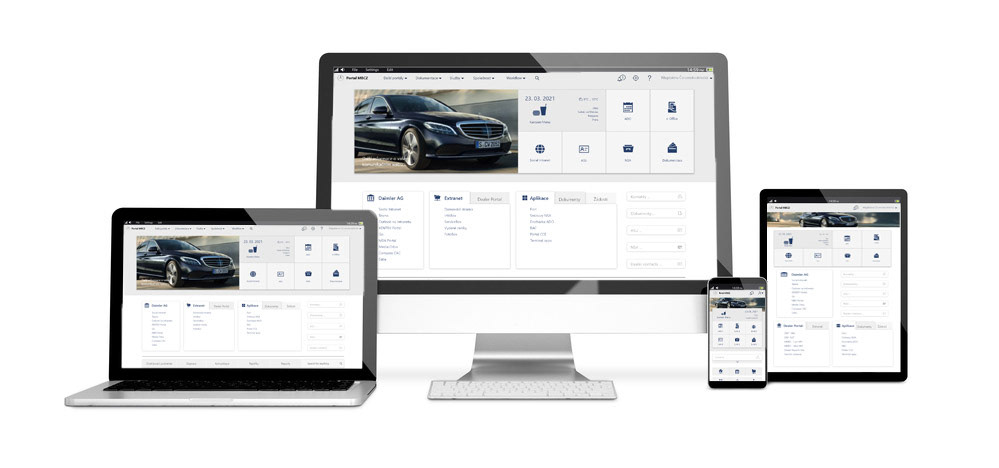
Representative image of the intranet redesign phase
Context & Assignment
The project focused on the redesign and gradual evolution of a corporate intranet used across multiple departments and user roles within Mercedes-Benz Czech Republic.
The assignment
Redesign the existing corporate intranet within a SharePoint 2016 environment
Improve clarity and usability of key entry points, especially the homepage
Support multiple internal applications, tools, and content types
Maintain consistency with existing corporate systems and design patterns
Improve clarity and usability of key entry points, especially the homepage
Support multiple internal applications, tools, and content types
Maintain consistency with existing corporate systems and design patterns
Project scope
Internal intranet and connected applications (Extranet, Dealer Portal)
Information-driven platform (documents, workflows, reports, records)
Long-term, iterative redesign rather than a full rebuild
Information-driven platform (documents, workflows, reports, records)
Long-term, iterative redesign rather than a full rebuild
Key challenges
The intranet needed to scale across users, roles, and applications while remaining clear and maintainable.
COMPLEX USER ROLES & PERMISSIONS
Multiple user roles with different access levels
Role-based visibility of content and tools
Balancing personalization with system consistency
Role-based visibility of content and tools
Balancing personalization with system consistency
CONTENT OVERLOAD
Large volumes of documents and internal resources
Inconsistent content structure across systems
Difficulty finding relevant information quickly
Inconsistent content structure across systems
Difficulty finding relevant information quickly
MULTIPLE APPLICATIONS
Navigation across intranet, Extranet, and Dealer Portal
Maintaining orientation across systems
Aligning navigation patterns without a full rebuild
Maintaining orientation across systems
Aligning navigation patterns without a full rebuild
LEGACY & CONSTRAINTS
SharePoint 2016 environment
Technical and organizational constraints
Need for long-term scalable solutions
Technical and organizational constraints
Need for long-term scalable solutions
Design Approach
The redesign followed a concept-first, iterative approach, working within an existing enterprise ecosystem.
Original Intranet and Extranet Homepage
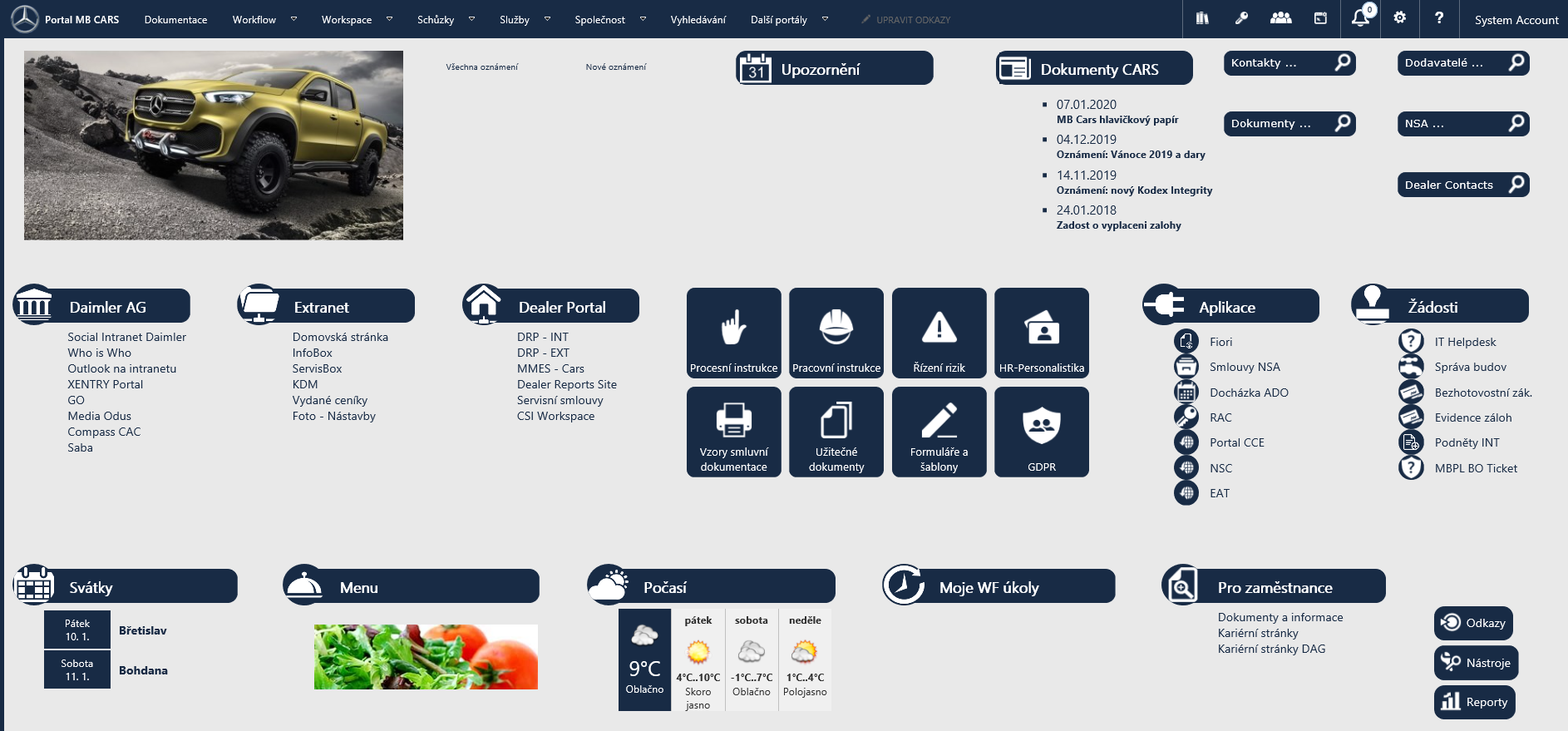
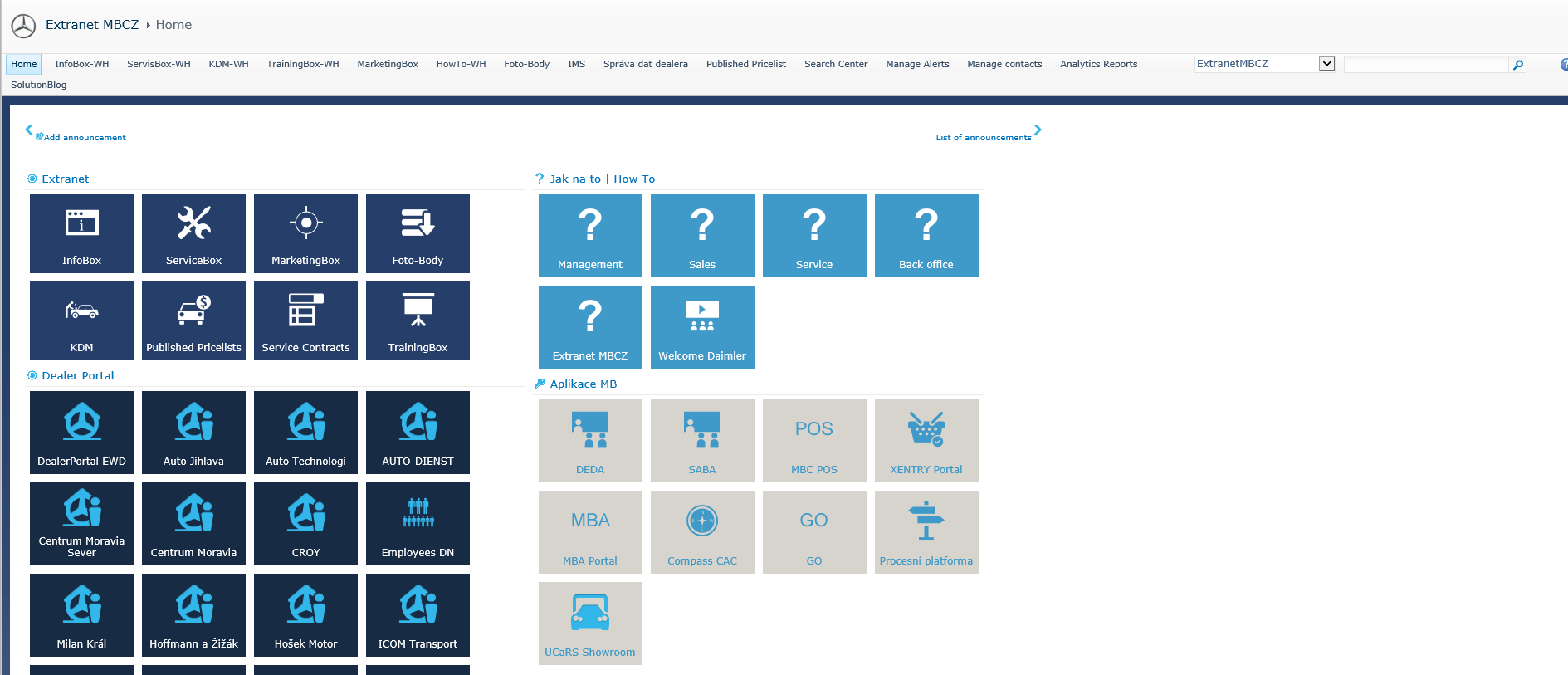
INFORMATION ARCHITECTURE & CONCEPT
Early design decisions were based on the existing intranet structure and client-provided inputs.
The initial concept served as a baseline for defining content hierarchy and navigation.
The initial concept served as a baseline for defining content hierarchy and navigation.
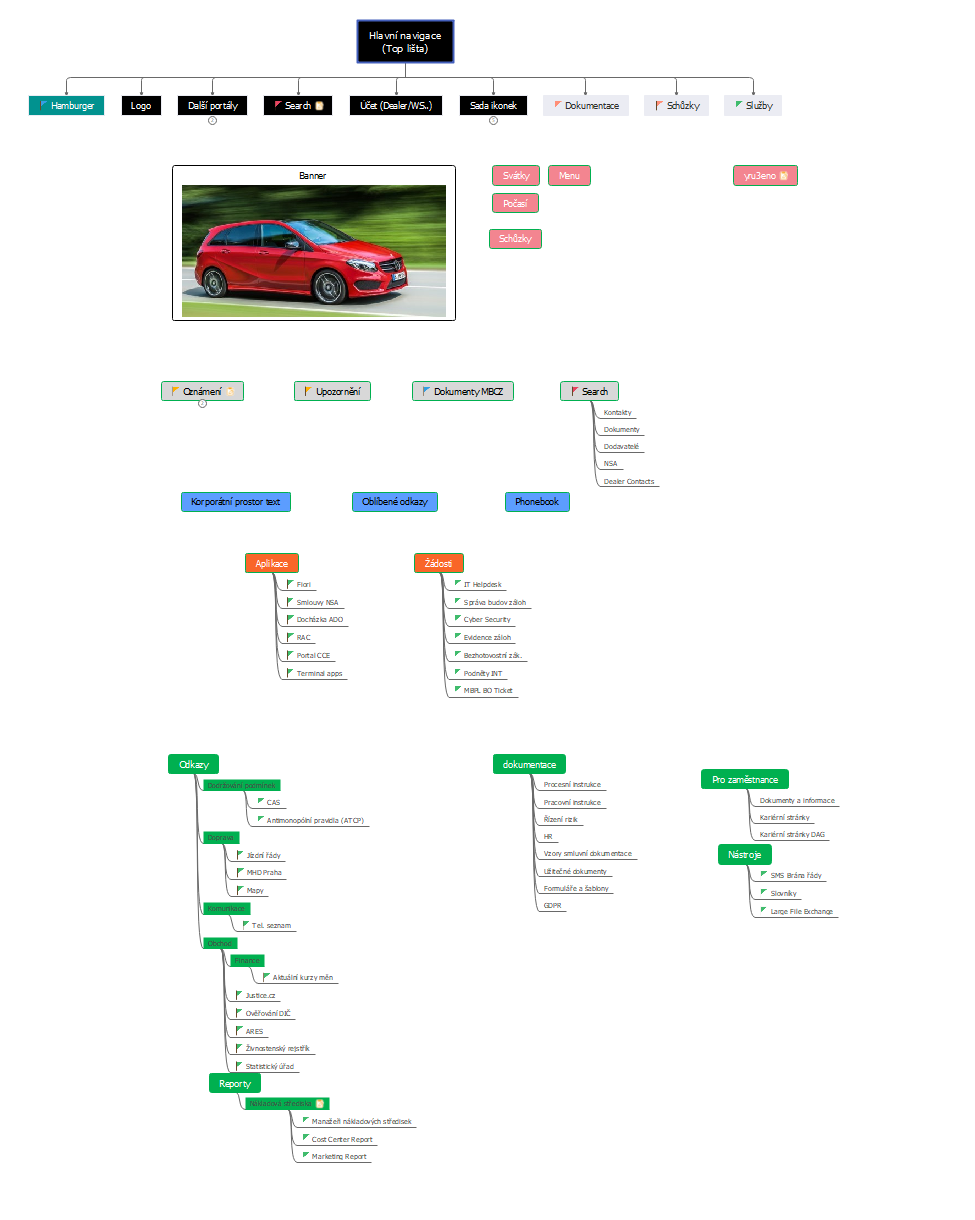
Early information architecture exploration
ITERATION & UI EVOLUTION
Several UI directions were explored to balance brand alignment with data-heavy workflows.
The final neutral UI was chosen for readability, scalability, and future mobile adaptation.
The final neutral UI was chosen for readability, scalability, and future mobile adaptation.
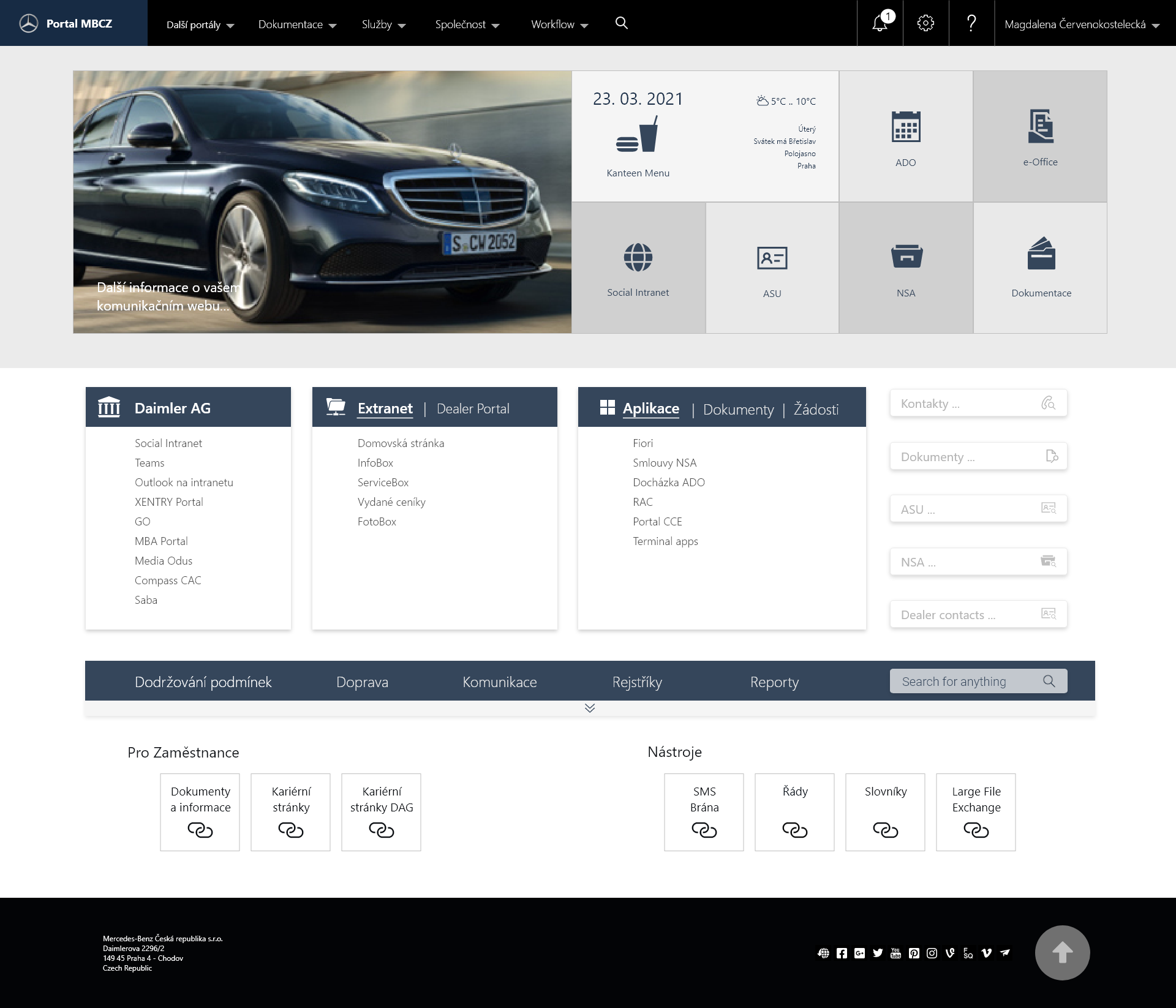
Intranet redesign variation - Light UI
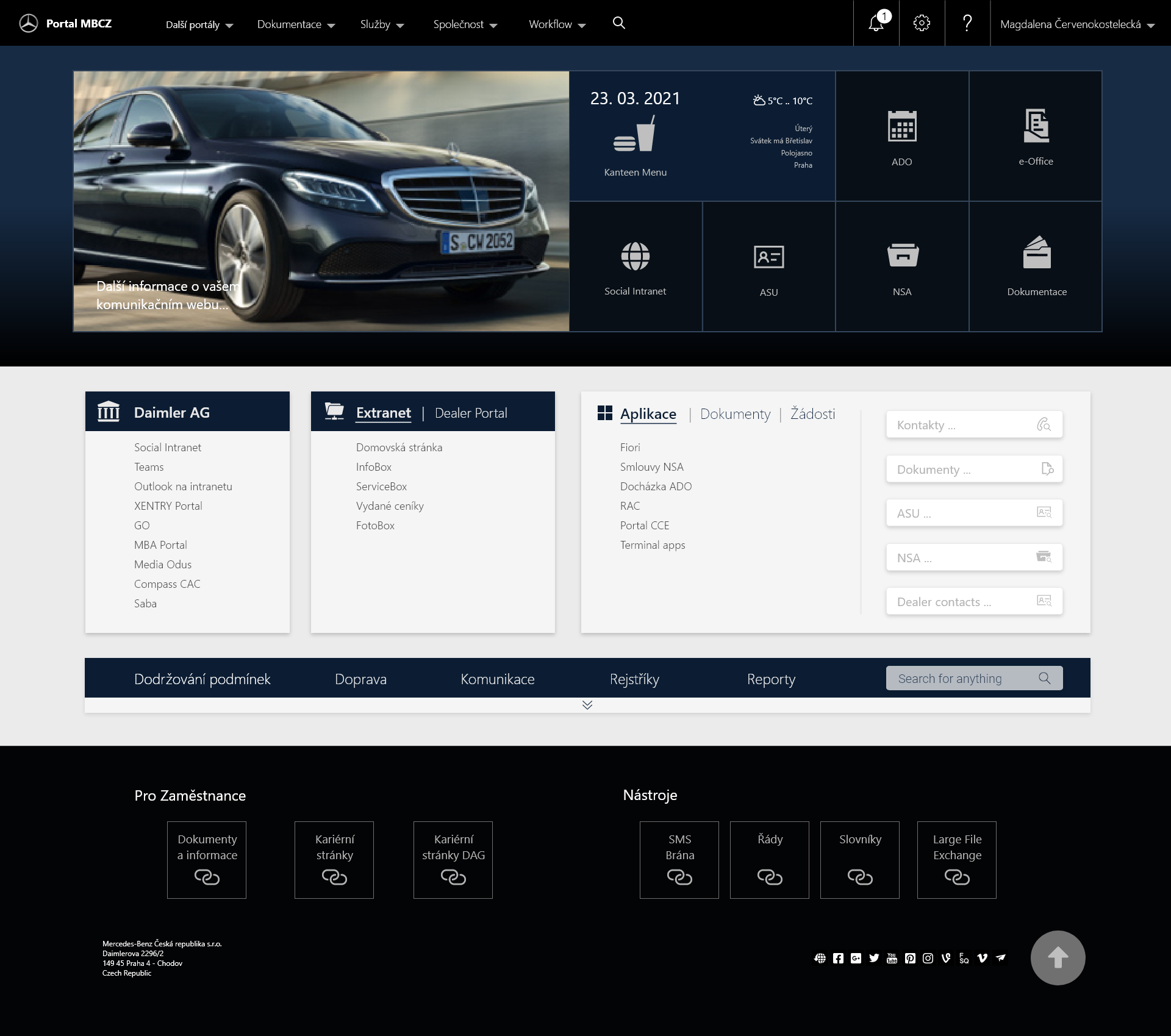
Intranet redesign variation - Dark UI
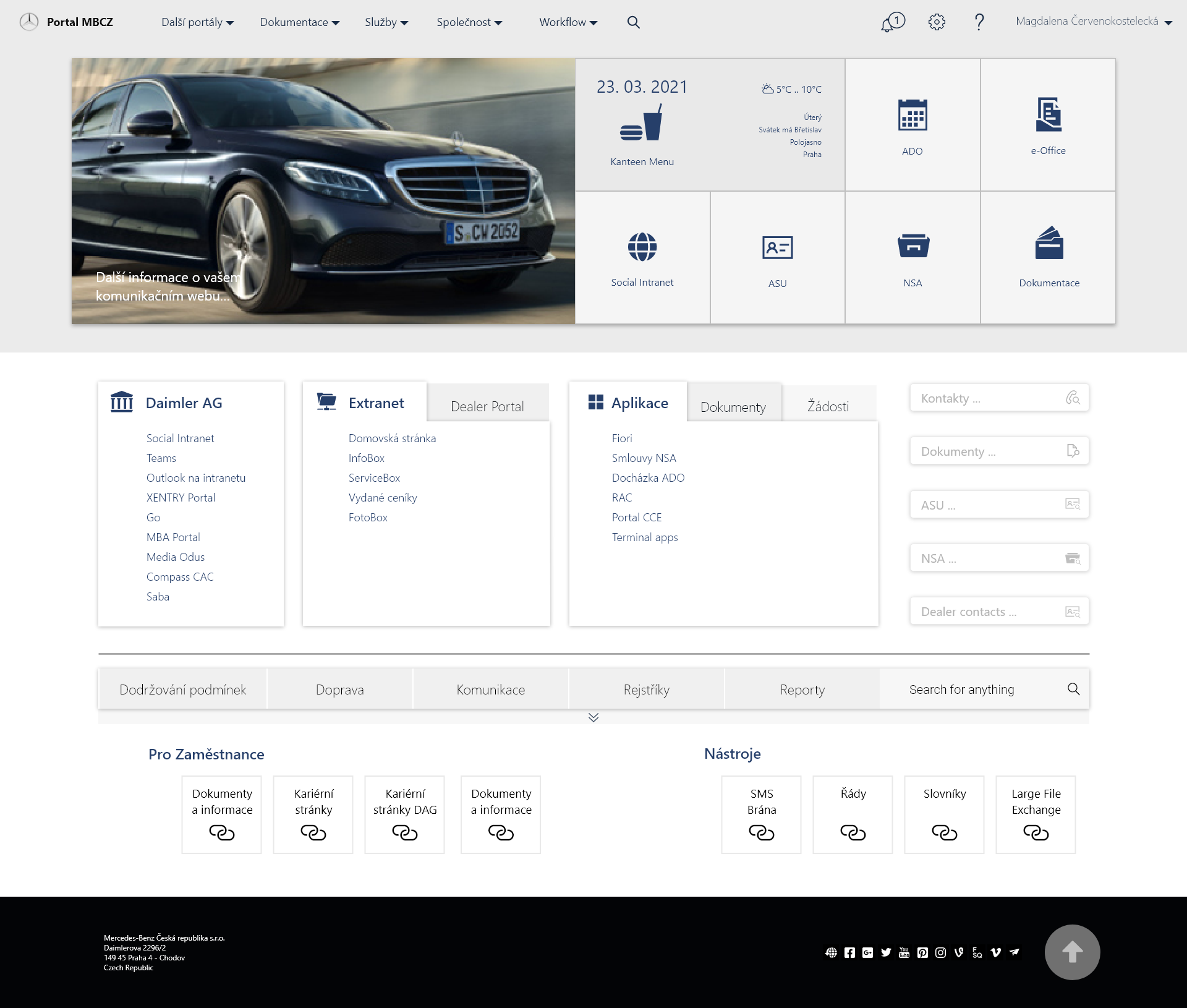
Key solutions
INFORMATION ARCHITECTURE & HOMEPAGE
Homepage designed as a clear entry point to key tools and content
Prioritization of frequently used sections
Improved orientation within the intranet ecosystem
Prioritization of frequently used sections
Improved orientation within the intranet ecosystem
MBCZ corporate intranet redesign – homepage overview
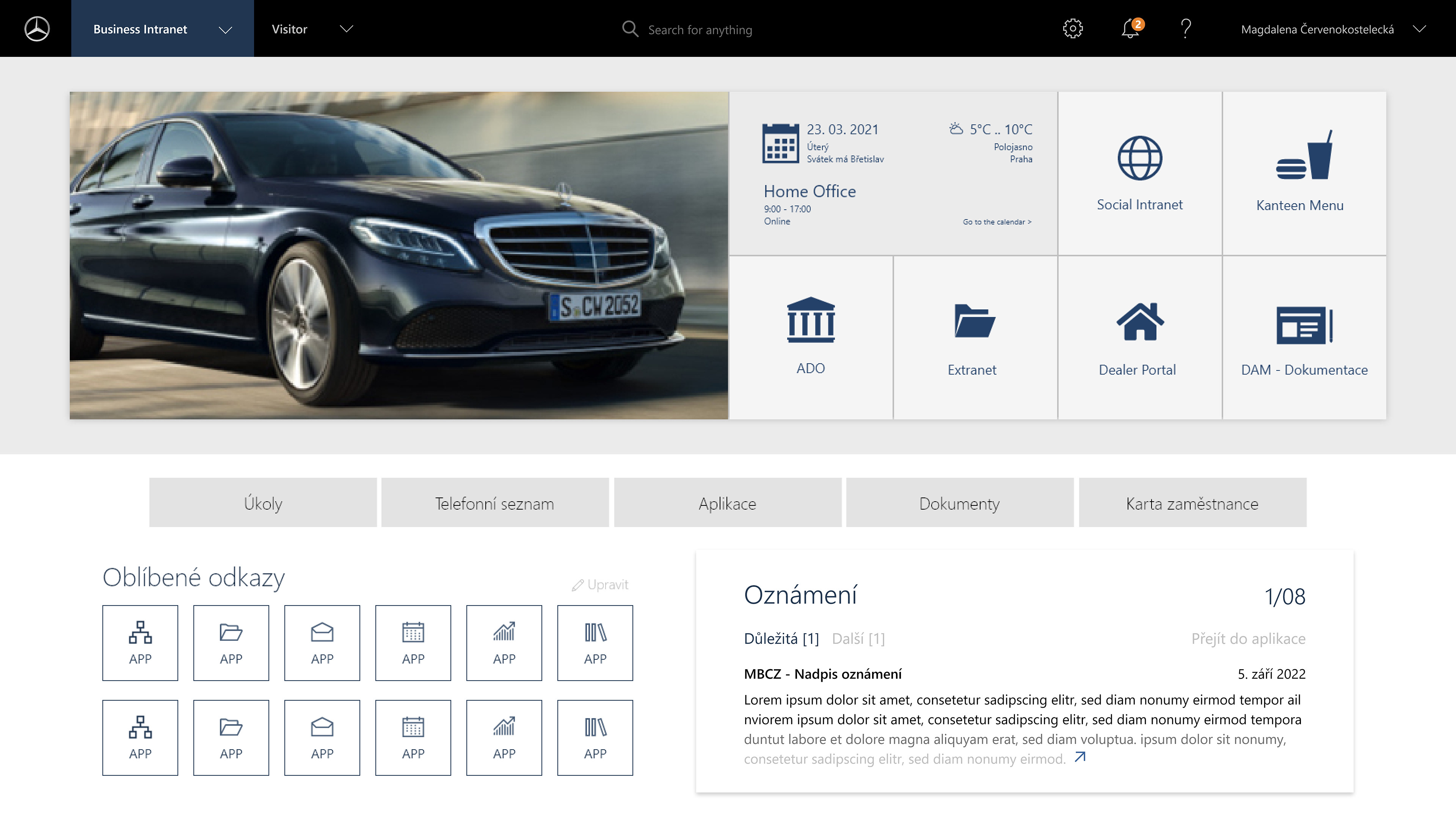
ROLE-BASED EXPERIENCE
Interfaces adapted to different user roles and responsibilities
Relevant data and tools shown per role
Consistent logic across applications
Relevant data and tools shown per role
Consistent logic across applications
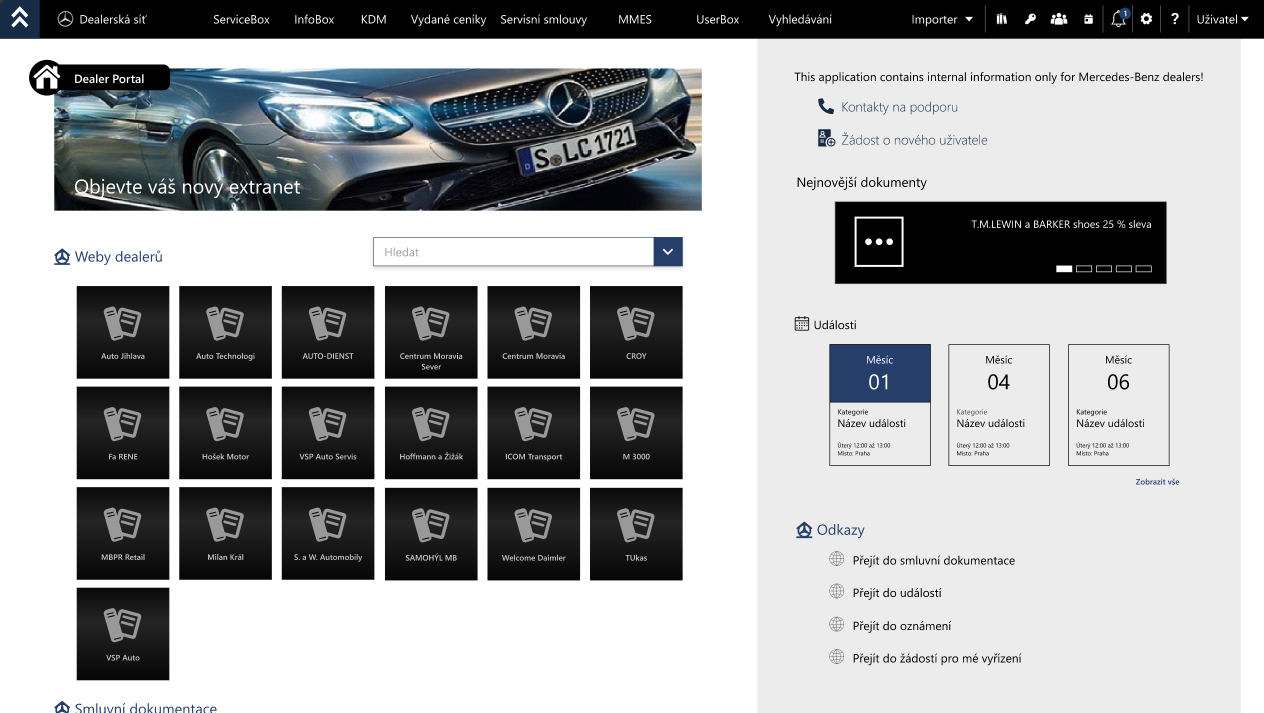
Intranet portal - role based image of Dealer Portal
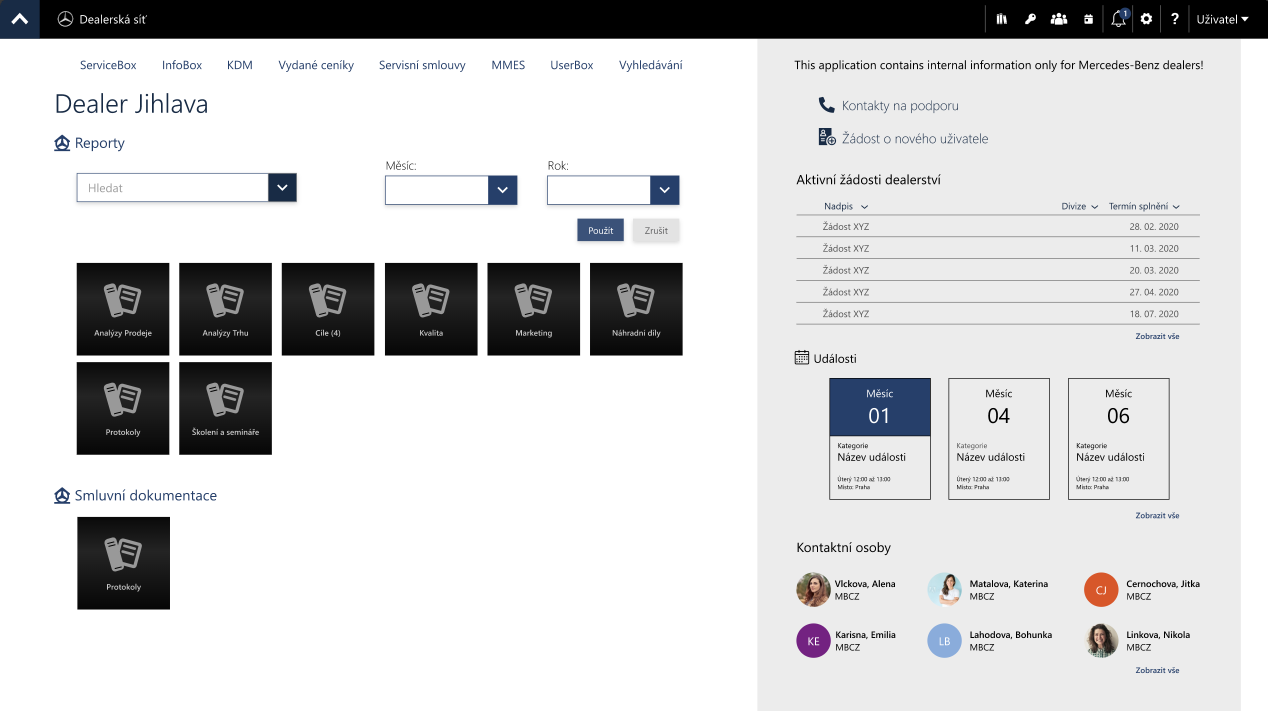
Intranet portal - role based image of specific Dealer
Content clarity & scannability
Clear content hierarchy and ownership
Layouts designed for long-term growth
Support for diverse document and data types
Layouts designed for long-term growth
Support for diverse document and data types
NOTIFICATION SYSTEM
Centralized notification panel supporting multiple applications
Defined notification logic across system events and roles
Designed as a standalone, scalable component
Defined notification logic across system events and roles
Designed as a standalone, scalable component
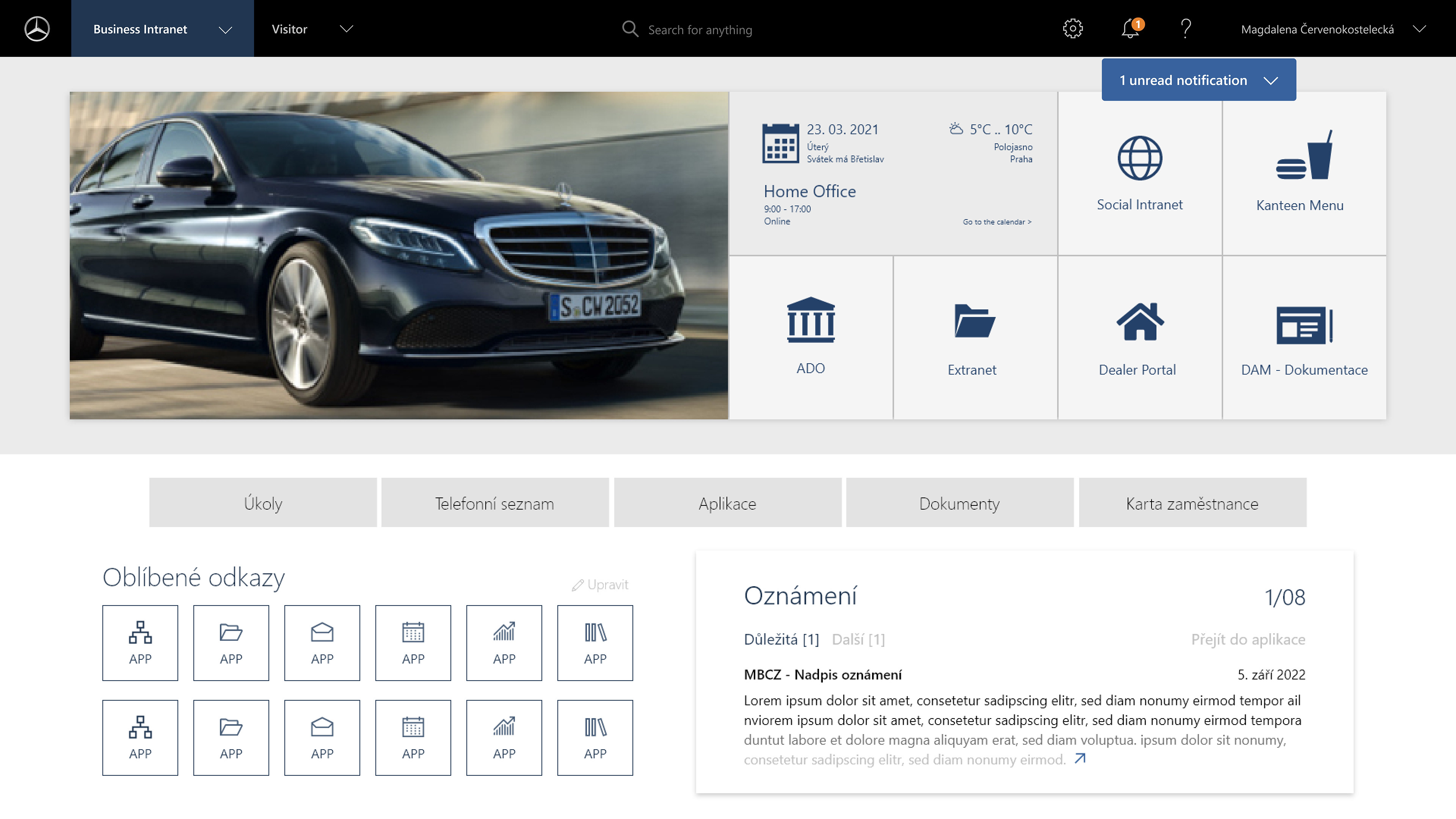
General - new notification
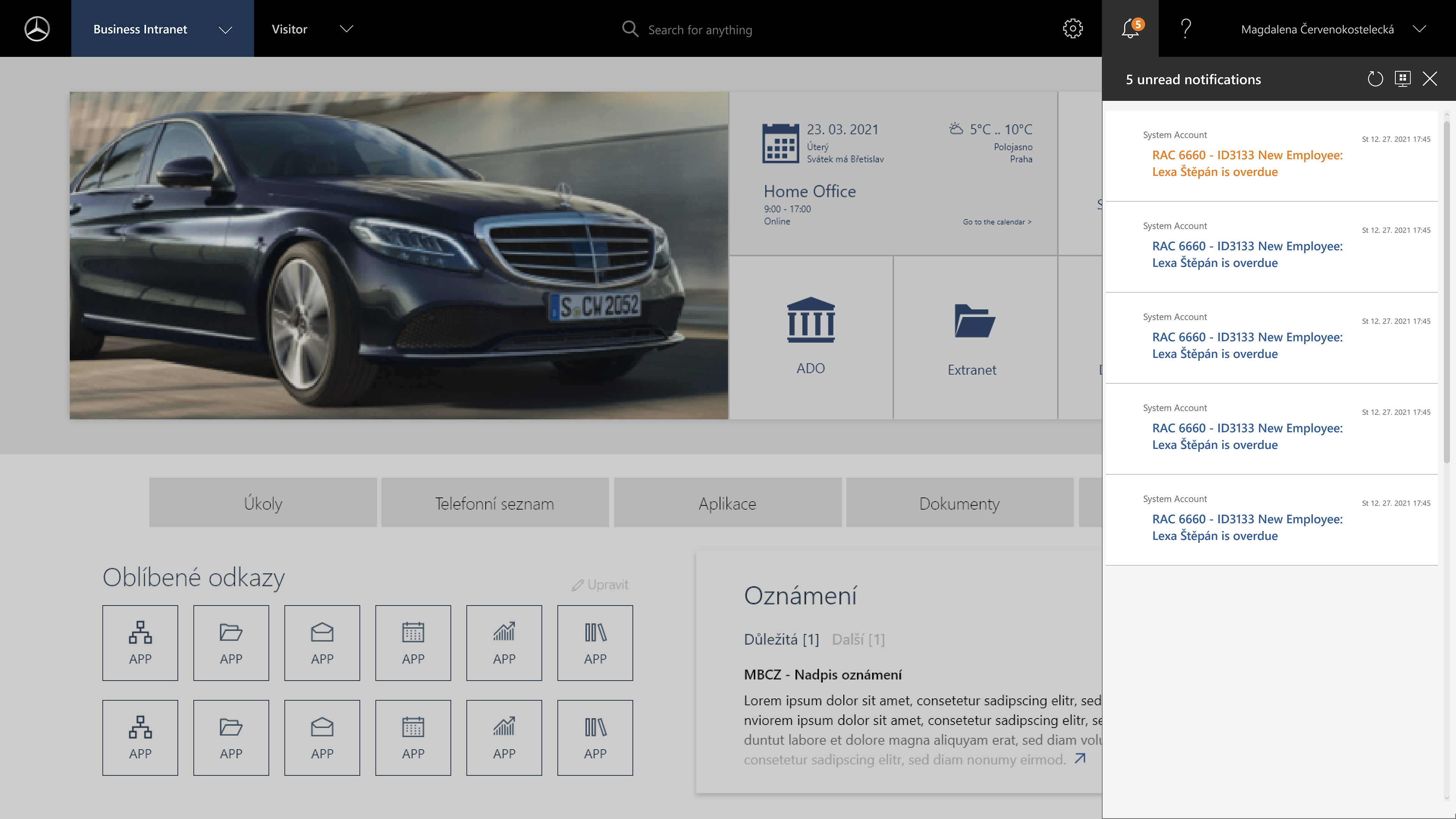
Open notification panel - Important vs normal notification
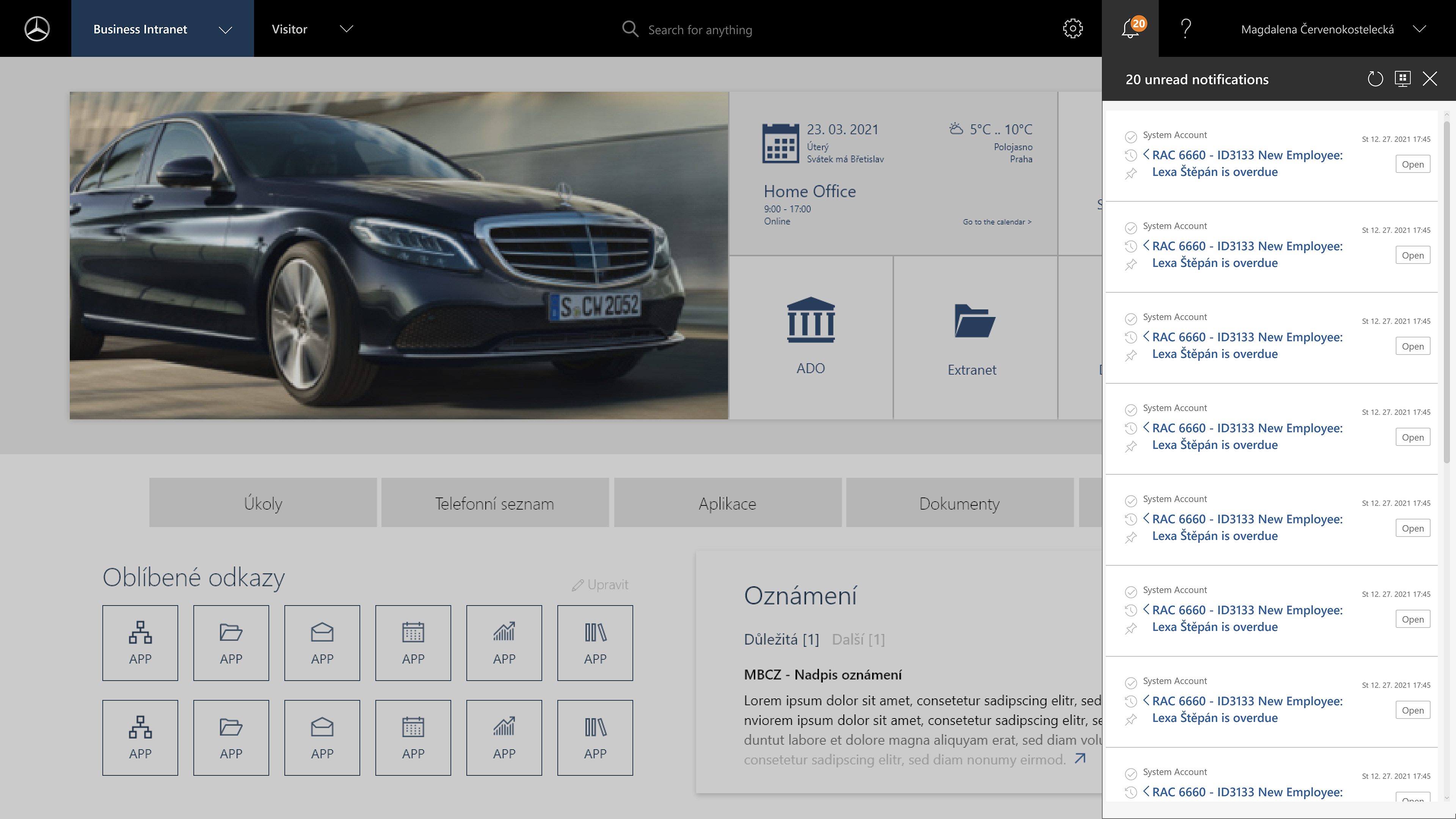
Open notification panel - options
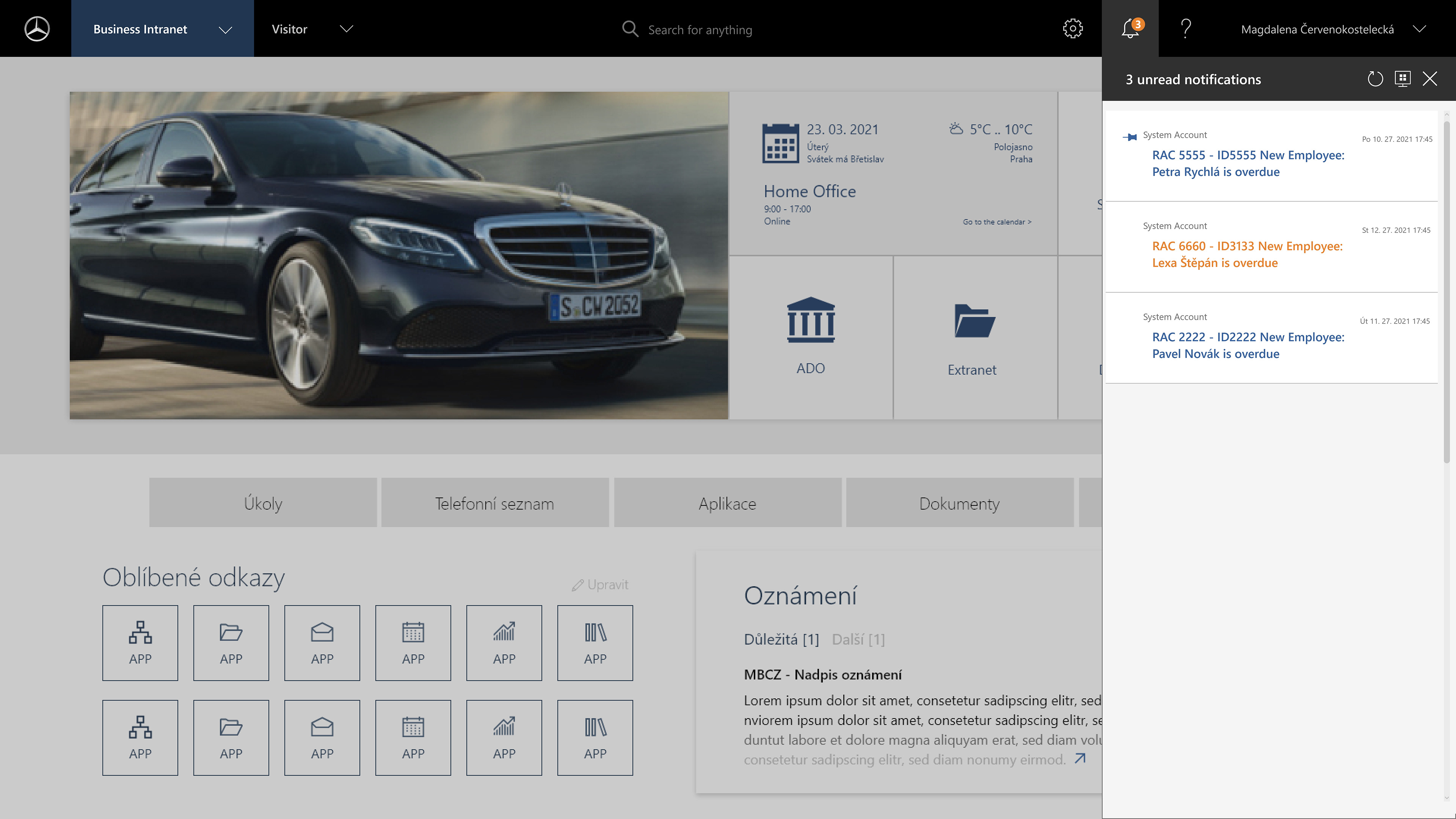
Open notification panel - Pinned notification
EDGE CASES + MICRO UX
Designing empty states, system feedback, and small UX improvements
Ensuring clarity beyond standard user flows
Ensuring clarity beyond standard user flows
AN EXAMPLE - RESTRICTION PAGE
CONTEXT
CONTEXT
Internal administration page within a corporate intranet used by multiple departments.
PROBLEM
Users landing on this page didn’t understand why access was denied or what to do next.
Users encountering this page lacked clear information about access restrictions and next steps, resulting in confusion and additional support requests.
Users encountering this page lacked clear information about access restrictions and next steps, resulting in confusion and additional support requests.
SOLUTION
– Introduced clear hierarchy
– Added a primary action
– Improved scannability and visual clarit
Introduced visual hierarchy through typography and spacing
Replaced text link with a clear primary action button
Added contextual imagery to reduce friction and soften the error state
Improved scannability and clarity of instructions
– Added a primary action
– Improved scannability and visual clarit
Introduced visual hierarchy through typography and spacing
Replaced text link with a clear primary action button
Added contextual imagery to reduce friction and soften the error state
Improved scannability and clarity of instructions
CONSTRAINTS
Content-only page, limited scope, no backend changes.
OUTCOME
Improved clarity and usability of an otherwise blocking system state.
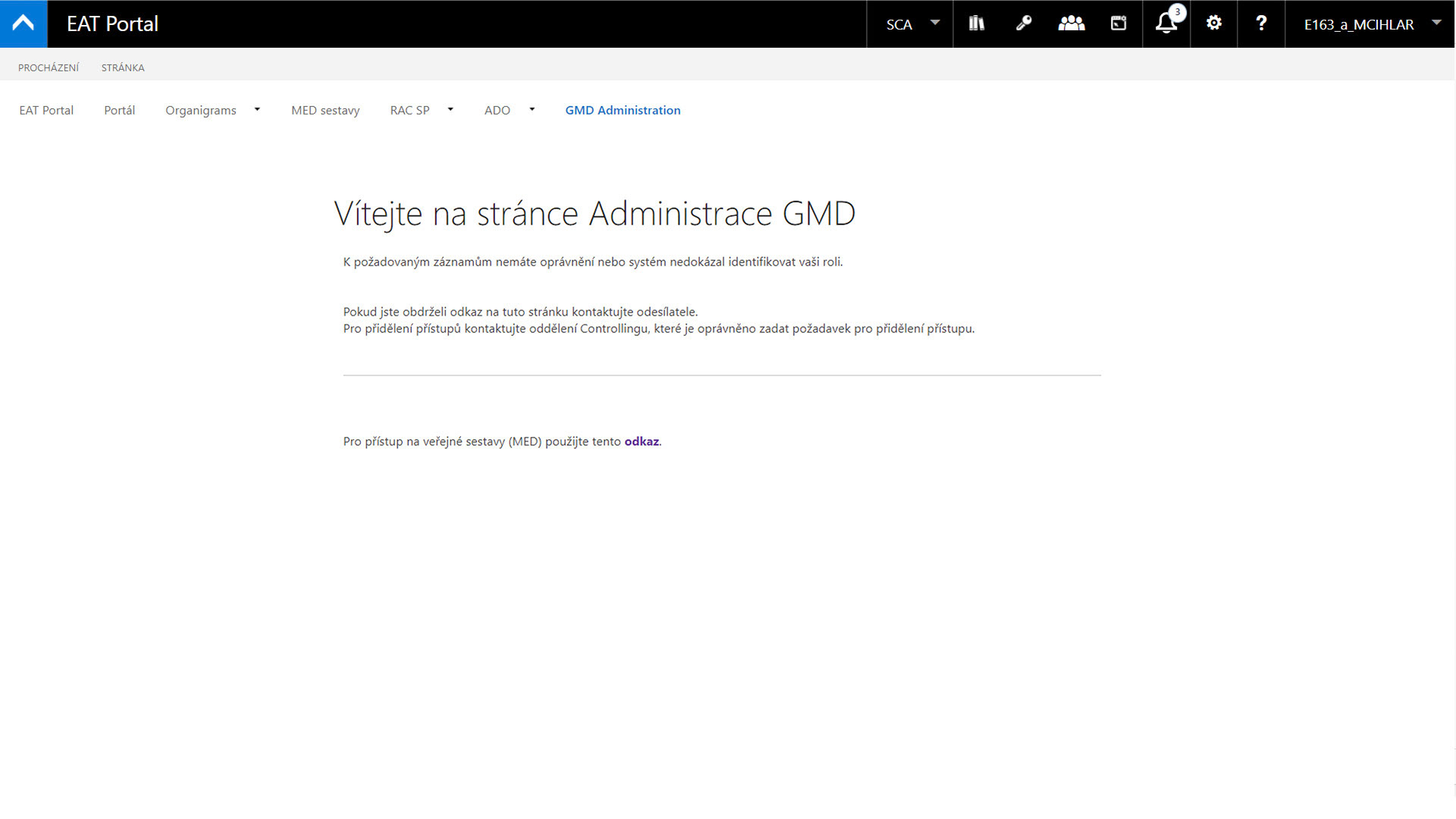
Original page with restricted access
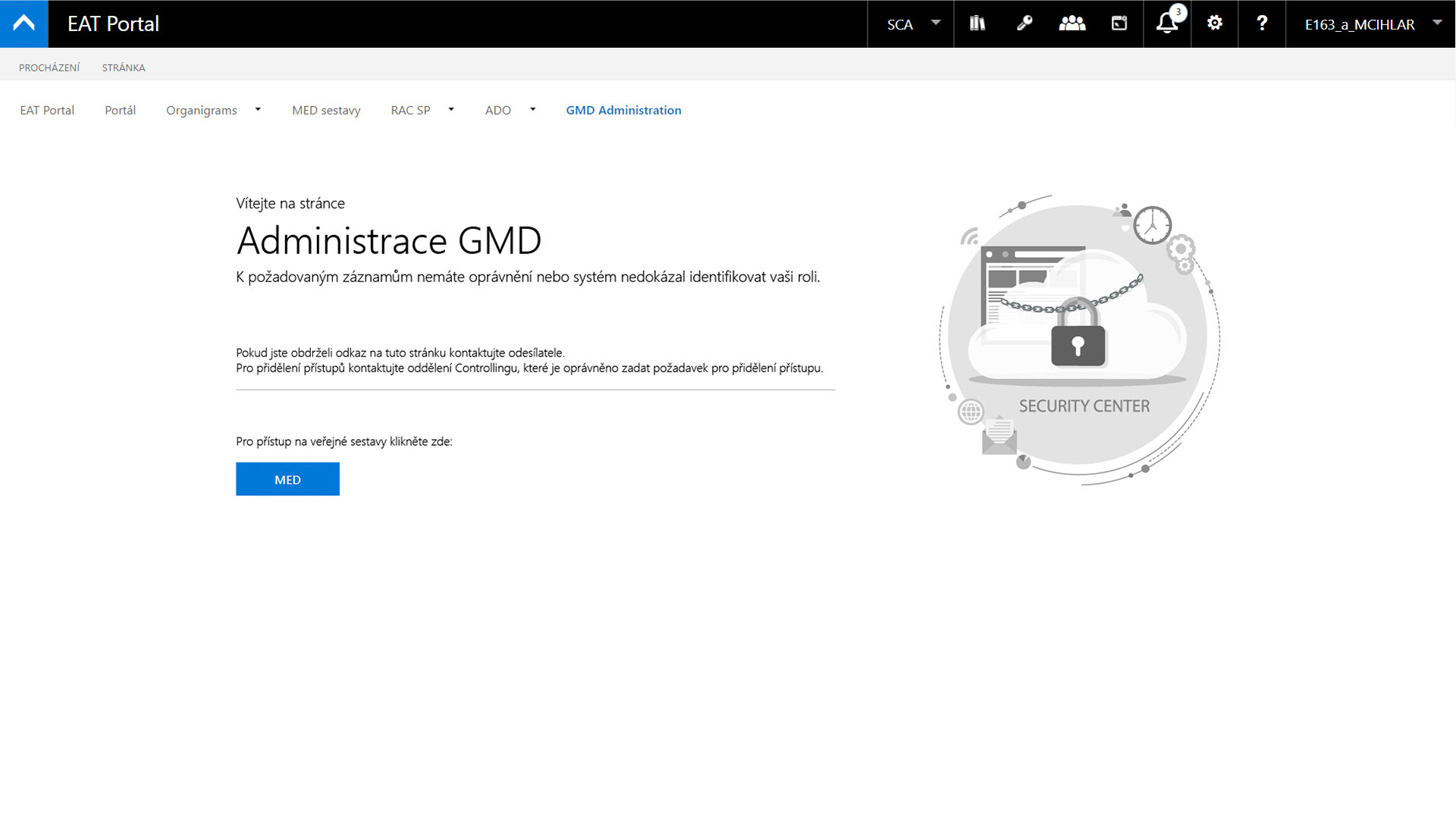
Redesigned page of restricted access
MOBILE / RESPONSIVE
The interface was designed with future responsiveness in mind, allowing key patterns to be adapted for mobile use.
Outcome / Impact
The redesign improved information clarity, navigation, and role-based access across the intranet, supporting daily workflows in a complex enterprise environment.
Want to see more?